How to Tell If Your Website Is Actually Getting You Calls
How to Tell If Your Website Is Actually Getting You Calls
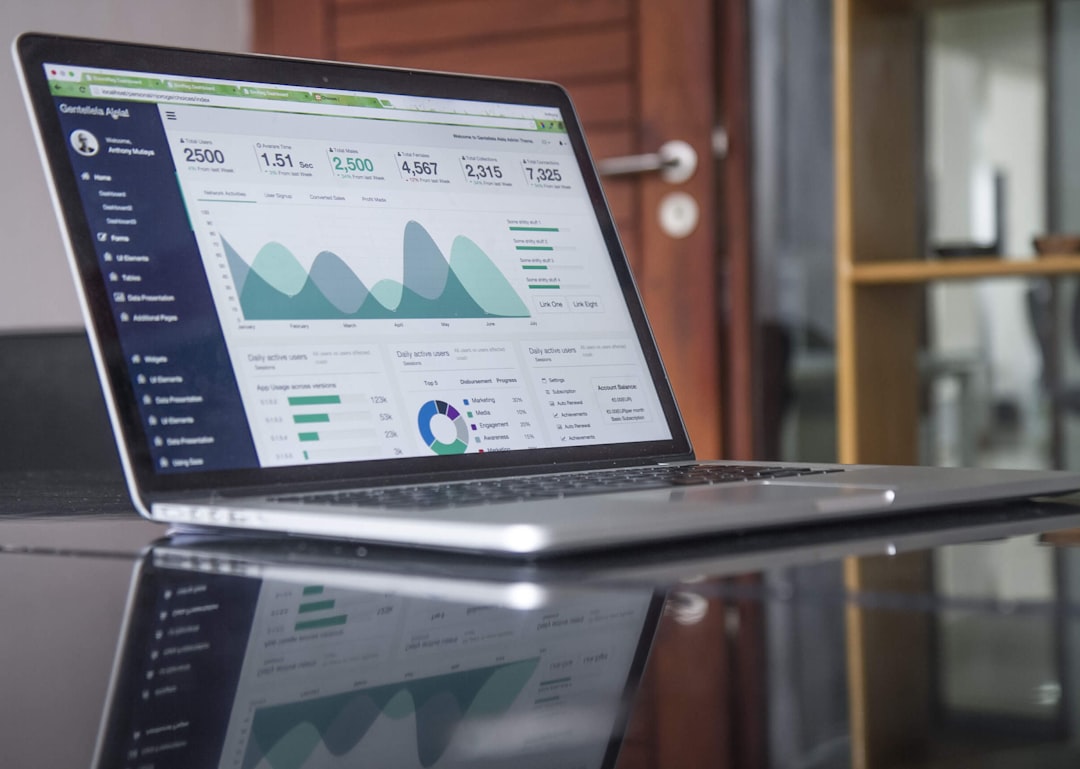
Most small business owners have no idea whether their website is doing anything. They paid someone to build it, it's live, and that's about where the accountability ends. When a new customer calls, there's a decent chance the owner doesn't know how they found them.
That matters more than it sounds. If you're spending money on a website and have no way to measure what it's producing, you can't improve it. You also can't tell whether it's working or broken.
The good news is you don't need a marketing department or a complicated setup to get the basics. Here's what you can actually track without hiring anyone.
Start With Your Google Business Profile Insights
If your business has a verified Google Business Profile (and it should), you already have a dashboard sitting there with useful data. Log into business.google.com and click on your profile, then look for the analytics section.
GBP shows you how many people called you directly from your listing, how many asked for directions, how many clicked through to your website, and how many viewed your photos. It also shows what search terms people used to find you.
This isn't website data, but it tells you something more useful for most local service businesses: how often your Google presence is driving action. If you're getting 30 direction requests a month but zero website clicks, that tells you people are finding you and showing up, not researching you online.
If those numbers are low across the board, the problem is usually profile completeness, review count, or category selection. Not your website.
Google Search Console Shows You What Searches Your Site Ranks For
Google Search Console is free and takes about 10 minutes to set up if you haven't already. You verify ownership of your domain, and within a few days Google starts showing you data.
What's actually useful here: it shows you exactly which search queries are bringing people to your site, how often your site shows up (impressions), and how often people click through. If your site shows up 400 times for "pressure washing Holiday FL" but only gets 3 clicks, that's a title tag or description problem. If it doesn't show up at all for the searches you'd expect, that's an SEO problem.
It also tells you which pages get traffic. For most service businesses, it's usually the homepage and maybe one or two service pages. If your contact page gets zero visits from search, no one is finding their way there through Google.
For Call Tracking, the Simple Version Works Fine
The cleanest way to know your website is driving calls is to use a dedicated phone number on your website that's different from the number on your GBP or signage. Any call to that number came from the website.
Services like CallRail or Google's own call tracking through Ads do this automatically. But honestly, even something simpler works: put a Google Voice number on your site only, forward it to your main line, and check how many calls came through it each month.
This isn't perfect, but it's a lot better than guessing. And for most service businesses doing fewer than 100 inquiries a month, it's all you need.
What You're Actually Looking For
You're not trying to build a dashboard. You're trying to answer three questions:
Are people finding my business when they search for what I do in my area? (GBP + Search Console)
When they find my listing or my site, are they taking action? (GBP click and call data)
If they visit my site, are they calling? (Call tracking, or at minimum watching for patterns when new customers say "I found you online")
If the answers are mostly yes, your website is doing its job. If any of them are no, that's where you focus.
The Part Most Business Owners Skip
None of this works if you're not checking it. A lot of business owners set up Search Console once, see a bunch of numbers they don't understand, and never open it again.
You don't need to check weekly. Once a month is enough. Pull up GBP, look at the calls and clicks from last month versus the month before. Open Search Console and look at whether clicks went up or down. Look for any page that dropped dramatically in impressions, which sometimes signals a technical problem on the site.
It takes 15 minutes. And it's the difference between knowing your website is working and hoping it is.
On Point builds websites for local service businesses in Pinellas and Pasco County that are actually designed to get calls, not just look good. If you want to know whether your current site is doing its job, reach out and we'll take a look.

On Point
Web design, SEO & AI chatbots for local businesses in Pinellas & Pasco County, FL.
Ready to grow your business online?
Get Your Free Strategy Call →